


Get Paid Early: Cash Advance
4.2166.00 Reviews
App Specs
- Version
- 3.0.39
- Updated On
- License
- Free
- Downloads
- 50,000+
- Developer
- StreamFunds, Inc.
- Categories
- Finance
- Platform
- Android
Screenshots
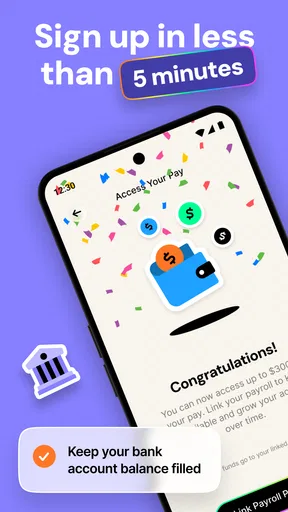
 Analysis by AppCompare
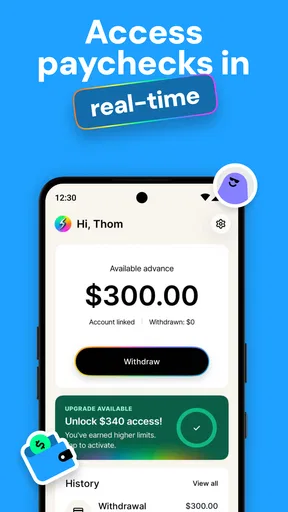
Getting access to earned pay before the usual payday sounds simple, but the first real test is often the setup. Get Paid Early: Cash Advance is a free finance app from StreamFunds, Inc. built around that single purpose: helping eligible users reach wages they have already earned without presenting the service as a conventional loan. I approached it less like a quick-cash button and more like a tool that needs the right employment and payment details before it can be useful.
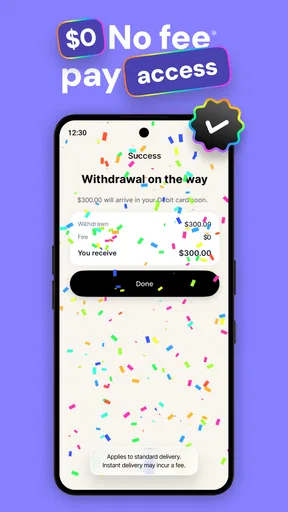
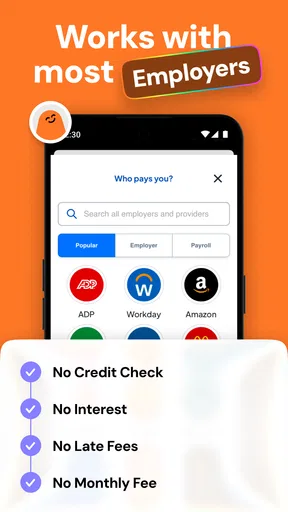
That distinction matters. An early-pay service can be helpful when a bill arrives a few days before payday, yet it is not a replacement for stable budgeting. In my experience, the app makes the most sense for someone who has regular earned income and wants a short bridge, not for someone looking for long-term borrowing. The store summary emphasizes no loans, no interest, and no hidden fees, while the practical experience still depends on whether the app can correctly connect your work and pay information.
Where the experience usually gets stuck
The most frustrating part of a finance app is rarely the idea behind it. It is the moment when the user expects to move forward and instead has to recheck a name, employer detail, payment account, or verification step. With this kind of service, small differences between the information you enter and the information attached to your payroll records can create unnecessary friction.
I would begin with the assumption that accuracy matters more than speed. Use the same personal and employment details that appear in your payroll records, rather than a nickname or an abbreviated employer name. If the app asks you to connect an account or identify an income source, rushing through that screen can make later troubleshooting harder because it becomes unclear whether the issue is eligibility, account matching, or a temporary connection problem.
Another common point of confusion is expecting an advance to behave exactly like a bank transfer. The app’s purpose is to provide access to earned pay early, but the timing of any movement of money can still depend on the linked account, payroll information, and processing conditions. I would not start the process five minutes before a bill is due and assume the money will arrive instantly. A little planning is especially important when the payment deadline is fixed.
The app is rated for Everyone, which makes its presentation approachable, but an age rating does not remove the need for adult financial judgment. Anyone using it should understand how receiving pay early affects the amount available on the normal payday. The key question is not only “Can I get money now?” but also “What will my next regular paycheck look like after using this service?”
There is also a difference between an app error and a result that simply does not match expectations. If the available amount is lower than you hoped, that does not automatically mean the application is broken. Earned-pay access is tied to income information, and the amount shown may reflect what the system can identify rather than what you personally estimate you have worked.
Worth Reading Before You Choose

EA SPORTS FC Mobile 26 Is a Bigger Football Game, but It Takes Time

Flipboard Shows What News Apps Must Do Beyond the Feed

Switching to Android Auto Means Rethinking Your Driving Routine

Google Calendar Makes a Crowded Week Easier to Manage

Ludo King Makes the Most of the Minutes Between Plans

Baby Panda World Brings Quick Play to Modern Phones, but Its Game Library Feels Busy
What I would prepare before opening it
I found the smoothest approach is to gather the information you are likely to need before beginning. Have your employment details, the account used for receiving pay, and any sign-in information ready. This avoids repeatedly leaving the app to search for details and reduces the chance of entering inconsistent information.
It is also worth checking that the account you intend to use is active and belongs to you. If you recently changed banks, changed jobs, or moved from one payroll arrangement to another, an older connection may no longer reflect your current situation. In that case, repeatedly retrying the same step is less useful than reviewing which account and employer details are actually current.
Because finance apps handle sensitive information, I would install the application only through the official Android or iOS distribution route and keep the operating system reasonably current. The listed minimum is Android 7.0, so older devices may technically meet the requirement, but compatibility alone does not guarantee a smooth experience. A current device and a reliable connection are sensible starting points for any transaction involving money.
Setup checks that save time
The setup should be treated as a matching process, not just a registration form. Enter your legal name and other details consistently. If your payroll record uses a middle name or a particular spelling, copying that format can prevent avoidable mismatches. I would also avoid switching between several accounts during the initial setup unless the app specifically guides you to do so.
Before confirming anything, read each screen carefully. A user who is focused only on getting money quickly can miss an important explanation about repayment through the normal pay cycle or the account used for delivery. The service is designed around earned pay, so understanding the flow from early access to the next payday is more important than simply reaching the final button.
One useful habit is to take note of the account and employer information you selected, without recording sensitive credentials in an unsafe place. If something goes wrong later, you will know whether you are troubleshooting the correct connection. This is a small step, but it prevents the classic loop of trying several accounts and losing track of which one the app is checking.
Keep the application updated as well. The current version is 3.0.39, and using the current release is a practical way to avoid problems that may already have been addressed in a newer installation. I would update before beginning a time-sensitive request rather than waiting until the app behaves strangely. At the same time, an update will not fix incorrect payroll information or a disconnected financial account, so it should be one check among several rather than the only solution.
The app is free to install, which lowers the barrier to trying it, but “free” should not be confused with “free money.” The useful value is access to wages you have already earned. I would compare the amount you receive early with the amount you will have available on payday and make sure that trade-off fits your budget. The product’s appeal is strongest when it solves a short timing problem without turning that timing problem into a recurring cycle.
Questions I would ask during setup
When I review a service like this, I want clear answers to four practical questions. Can the app recognize my employment and pay information? Can it use the account where I normally receive funds? Do I understand what happens to my next payday after taking early access? And can I wait long enough for processing if the money is not immediate?
If the answer to the first question is unclear, check the information rather than guessing. If the second is unclear, confirm that the selected account is current. If the third is unclear, pause before accepting anything. And if the fourth is impossible because a bill is due immediately, a conventional emergency fund or a direct conversation with the biller may be safer than relying on uncertain timing.
Recovering when the workflow breaks
When a request does not go through, I recommend changing one thing at a time. First close and reopen the app. Then check the connection, confirm that the app is updated, and review the entered details. If you change the employer, account, and personal information all at once, you may solve the problem without learning what caused it, which makes the next attempt more confusing.
If a connection step fails, check whether the account is available and whether you are using the correct sign-in details. Avoid repeatedly entering guesses, especially in a financial application. A temporary lock or security check can make the situation worse. The safer recovery path is to stop, verify the account independently, and then return to the app with the correct information.
If the app opens normally but the expected amount is not visible, I would not immediately assume the balance is wrong. Review whether the work or pay information is current and whether your latest earnings have had time to appear in the relevant records. A recently started job, a payroll change, or an unusual pay period can make the displayed information differ from your own calculation.
There is a useful distinction between a failed request and a delayed transfer. A failed request means the workflow stopped or could not be completed. A delayed transfer means the request may have been accepted but the money has not appeared yet. Treating both situations as the same can lead to duplicate attempts. Before trying again, check the app’s current status and your receiving account so you do not create unnecessary confusion.
For a time-sensitive need, I would keep a backup plan. That might mean contacting the company you need to pay, moving the due date if possible, or using money already set aside. An early-pay app can be convenient, but no phone-based service should be the only plan for rent, utilities, medication, or another essential payment with a hard deadline.
How I would use it in an everyday situation
Imagine that I have completed several shifts, but a small household bill is due before my normal payday. I would open the app, confirm that my employment and receiving account are still correct, review the amount available, and decide whether taking it early would leave enough for the rest of the pay cycle. If the amount covers the bill but leaves my later budget too tight, I would rather contact the biller or use savings than treat early access as extra income.
If I did proceed, I would record the amount in my budget immediately. That simple step is more important than it sounds. Without it, it is easy to spend as though the early payment were additional money, only to discover that the next regular payday is smaller than expected. The app can help with timing, but the user still has to manage the total income across the whole pay period.
A second useful scenario is irregular cash flow. Someone whose hours vary may appreciate early access during a strong work period, but that same person should be more cautious because the next payday may already be uncertain. In that situation, I would use the app only after checking the upcoming expenses and confirming that the early amount reflects genuinely earned pay rather than an optimistic estimate.
When the app is not the cause
Not every problem belongs to the application. A bank account may be unavailable, payroll information may not have updated, a login service may be temporarily unreachable, or the phone may have an unstable connection. The fastest troubleshooting method is to isolate the problem: test the connection, check the receiving account through its normal channel, and verify whether the employment information has changed.
Device conditions can matter too. Low storage, an outdated operating system, aggressive battery restrictions, or a damaged installation can cause an app to close or fail to refresh. I would restart the phone, make sure there is enough free space, and reinstall only after confirming that I can safely sign back in. Reinstallation is not a first choice when account access is involved; it is better used after simpler checks.
There is also a human factor. If you recently changed your name, employer, bank, or payroll provider, the mismatch may be real even though every detail you entered feels correct. In such cases, waiting for records to catch up or contacting the appropriate support channel may be more productive than repeatedly submitting the same request.
This is where the app’s limitations become clear. It is not a general budgeting platform, a replacement for a savings account, or a way to increase total earnings. It addresses the gap between earning money and receiving it. If your main problem is overspending, irregular bills, debt management, or the absence of an emergency fund, another type of finance tool will probably help more.
Compared with a credit card or a traditional loan, the appeal here is the focus on earned pay and the absence of interest and hidden fees described by the service. That can make it easier to understand than borrowing with a balance that grows over time. However, a credit card may offer a longer repayment structure or broader purchasing flexibility, while a savings buffer avoids reducing the next paycheck altogether. The better option depends on whether the problem is timing, borrowing capacity, or insufficient income.
Compared with asking an employer for a payroll adjustment, an early-pay app may be more convenient for some workers, while an employer-controlled option may fit more naturally into an existing payroll system. Compared with a bank’s overdraft feature, access to earned pay may feel more purposeful because it is tied to wages, but overdraft products can have their own rules and costs. I would compare the actual consequences, not just the speed of access.
Who will get the most from it
I see the strongest fit for workers with predictable earned income who occasionally face a mismatch between payday and a legitimate expense. For that person, the app can function as a controlled timing tool. The most responsible users will check the next payday before accepting early access, use it for a defined need, and avoid turning every pay period into an advance cycle.
The app may also suit someone who dislikes interest-bearing borrowing and wants a simpler alternative for a short cash gap. The free price and Everyone rating make it approachable, and its focused purpose means there is less to learn than with a full budgeting suite. StreamFunds, Inc. has positioned the product around getting paid early rather than surrounding the user with a large collection of unrelated finance features.
I would be more cautious if your income changes sharply from week to week, your employment details are in transition, or you already depend on advances to cover ordinary expenses. In those situations, the app may provide temporary relief while leaving the underlying shortfall untouched. A spending review, a savings plan, a conversation with the employer, or a different financial product may be the better next step.
It is also not ideal for anyone who needs guaranteed immediate delivery for a critical payment. Even when the request is straightforward, account matching and processing can introduce uncertainty. The app belongs in a planned cash-flow routine, not as a promise that every emergency will be solved instantly.
My practical verdict after using the workflow
Get Paid Early: Cash Advance is a focused finance app with a clear use case. I like that it centers on access to earned pay instead of presenting itself as ordinary borrowing, and the free installation makes it easy to evaluate without an upfront purchase. Its average rating is 4.2 from over 700 ratings, with more than 160 written reviews, and the app has passed the 50,000-install mark, so it has attracted a meaningful audience without needing exaggerated claims.
My recommendation comes with a condition: use it as a timing tool, not as a second paycheck. Prepare accurate employment and account information, check the next payday before accepting anything, and give yourself enough time to handle a delayed connection or transfer. Those habits do more to improve the experience than repeatedly pressing a retry button.
The current release, 3.0.39, supports the app’s ongoing availability on Android devices starting with version 7.0. I would still keep the phone and app updated, especially before a planned request. The developer is StreamFunds, Inc., and the product remains free for users who want to explore its early-pay approach.
In the end, I would recommend it to a friend who has a genuine short-term gap between work completed and payday, understands the effect on the next payment, and can use the money for a specific reason. I would point that friend elsewhere if the need is recurring, the income is too uncertain, or the payment deadline cannot tolerate processing delays. The best result comes from using early access occasionally, deliberately, and with the full pay cycle in view.
Pros
- Quick access to earned wages before payday
- Simple application process with clear eligibility details
- No traditional credit check required for advances
- Repayment is usually automated from your next paycheck
- Helpful budgeting tools can support better cash-flow planning
Cons
- Advance limits may be low for new or occasional users
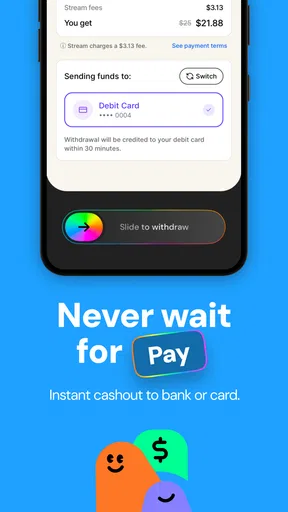
- Optional express-transfer fees can increase the borrowing cost
- Eligibility may depend on employer or payroll integration
- Frequent use can create a cycle of relying on early pay
- Bank and employment verification may require sensitive information
FAQs for Get Paid Early: Cash Advance
What is Get Paid Early: Cash Advance?
Get Paid Early: Cash Advance is a financial app designed to help eligible users access part of their expected income before their regular payday. After creating an account and completing the required verification, the app may display available advance options, repayment details, fees, and delivery times. Availability and terms can vary depending on your employment, income, location, and account history.
How does the cash advance process work?
After signing up, you generally connect information needed to verify your identity, income, or employment. If you qualify, the app shows the amount you may request and explains the repayment schedule before you confirm. Once approved, funds may be sent to a linked bank account or another supported payment method. Review every screen carefully because processing times and costs may differ.
Does Get Paid Early: Cash Advance charge fees or interest?
The total cost depends on the advance option and the terms presented in the app. Some services may use subscription charges, optional expedited-transfer fees, tips, or other costs rather than traditional interest, while others may apply different pricing. Before accepting an advance, check the final repayment amount, recurring membership conditions, and any late or failed-payment consequences.
Who can use the app, and what information is required?
Eligibility is not guaranteed for every applicant. The service may require users to meet age, residency, income, employment, banking, and identity-verification requirements. You might be asked to provide personal details and securely link a bank account or payroll information. Make sure the app is downloaded from an official store and read its privacy policy before submitting sensitive financial data.
When will the money arrive, and how is repayment handled?
Delivery speed depends on the selected transfer method, your bank, verification status, weekends, holidays, and whether an expedited option is available. Repayment is commonly scheduled for a future payday or another date shown during checkout, often through an authorized bank withdrawal. Keep enough funds available and contact support promptly if your income date changes or repayment may fail.


